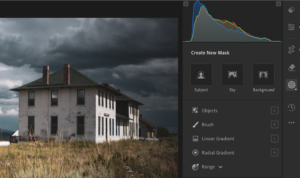
For years, I’ve been documenting abandoned grain elevators, one-room schools, and rural churches across Montana, Idaho, and the American West. People frequently ask me the same question: “How do you find these places?”
The answer is I use a variety of techniques but one of my favorites is Google Maps.
Before I drive anywhere, I spend hours in Google Maps planning my route, identifying structures worth photographing, and eliminating locations that aren’t worth the trip. It’s saved me countless hours of driving down dead-end roads and arriving at sites that have already been demolished.
Here are the five Google Maps techniques I use before every photo trip.
1. Street View Reconnaissance: Virtual Drive-Bys Save Hours
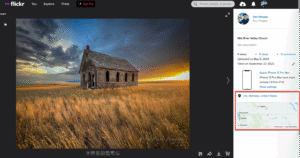
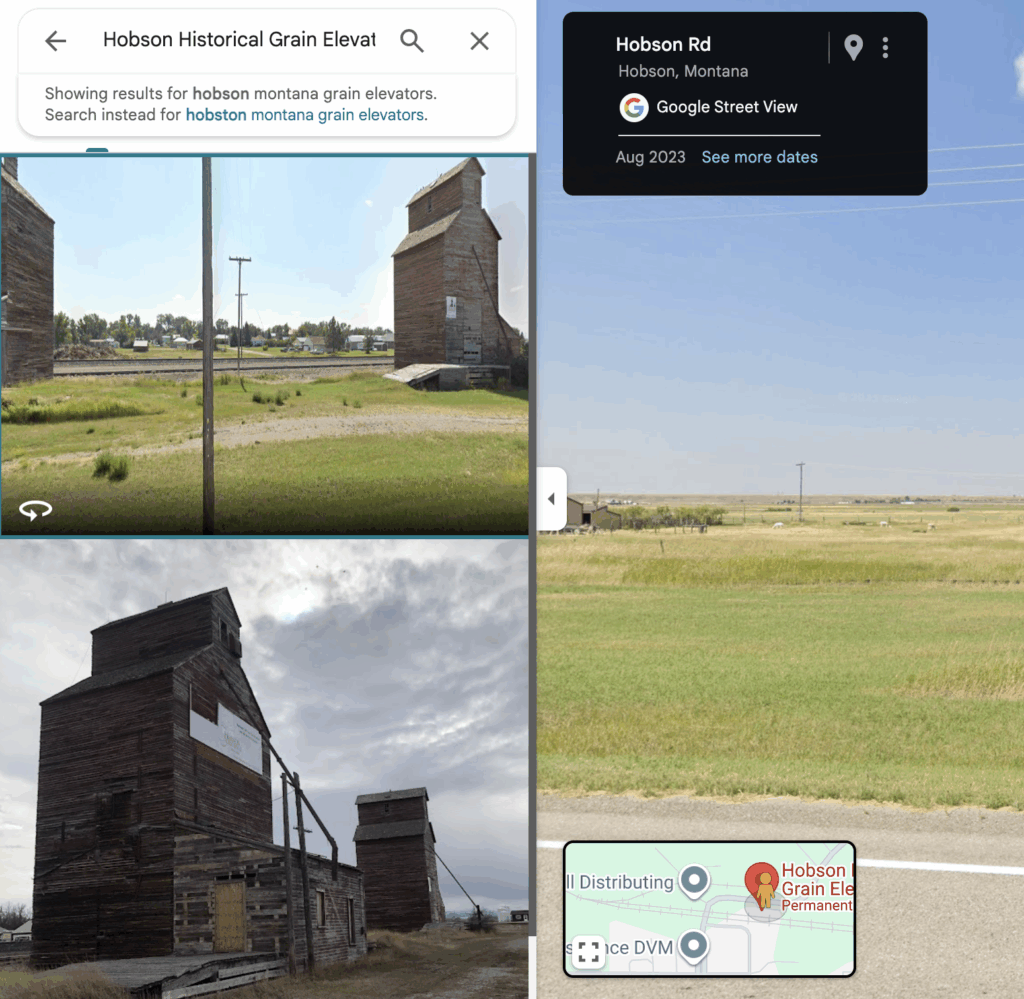
This is hands-down the most valuable feature in Google Maps for location scouting. Before I commit to driving two hours to photograph a grain elevator I found researching abandoned photos on Flickr, I drop the yellow pegman into Street View and take a virtual tour.
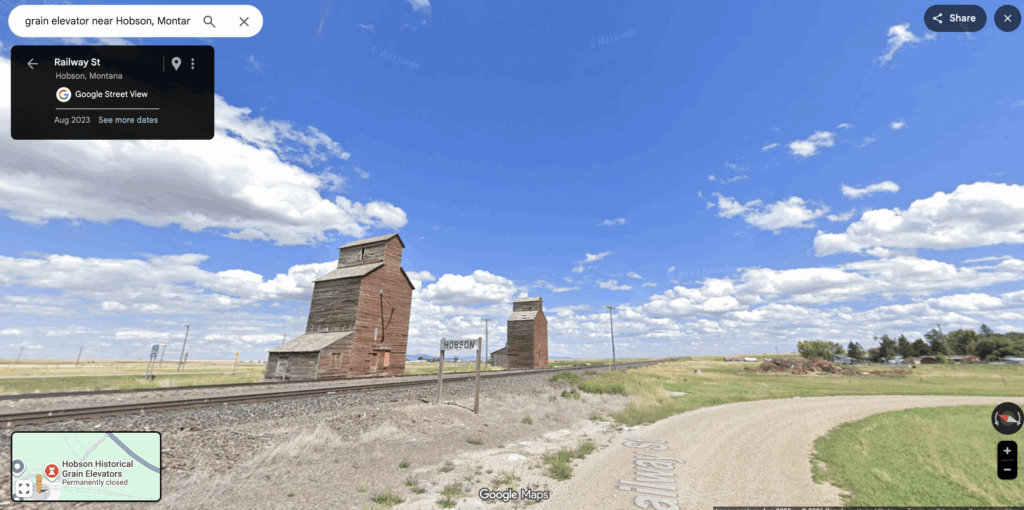
Here’s what I’m looking for:
Structure Condition: Is it still standing? Is it collapsing? Street View shows you the actual current state (or at least the state when the imagery was captured). I’ve avoided dozens of wild goose chases by discovering through Street View that a structure was demolished years ago.
Access and Parking: Can I actually get to it? Street View shows me whether there’s a pullout, a wide shoulder, or if I’ll be blocking a road. It also reveals whether there’s a clear approach or if I’ll be trampling through deep prairie grass.
Private Property Indicators: Fencing, gates, “No Trespassing” signs – Street View shows them all. I always respect private property, so this helps me identify locations where I’ll need to seek permission or photograph from public right-of-way.
Photography Angles: I can scout the best angles before I arrive. Which side has the most interesting features? Where will the light be best? Street View gives me a preview so I can plan my shoot.
Pro Tip: Click the See more dates link in Street View to see historical imagery from different years. Sometimes you’ll find that a structure looked better five years ago, or you’ll discover it was demolished between image captures, saving you the trip.
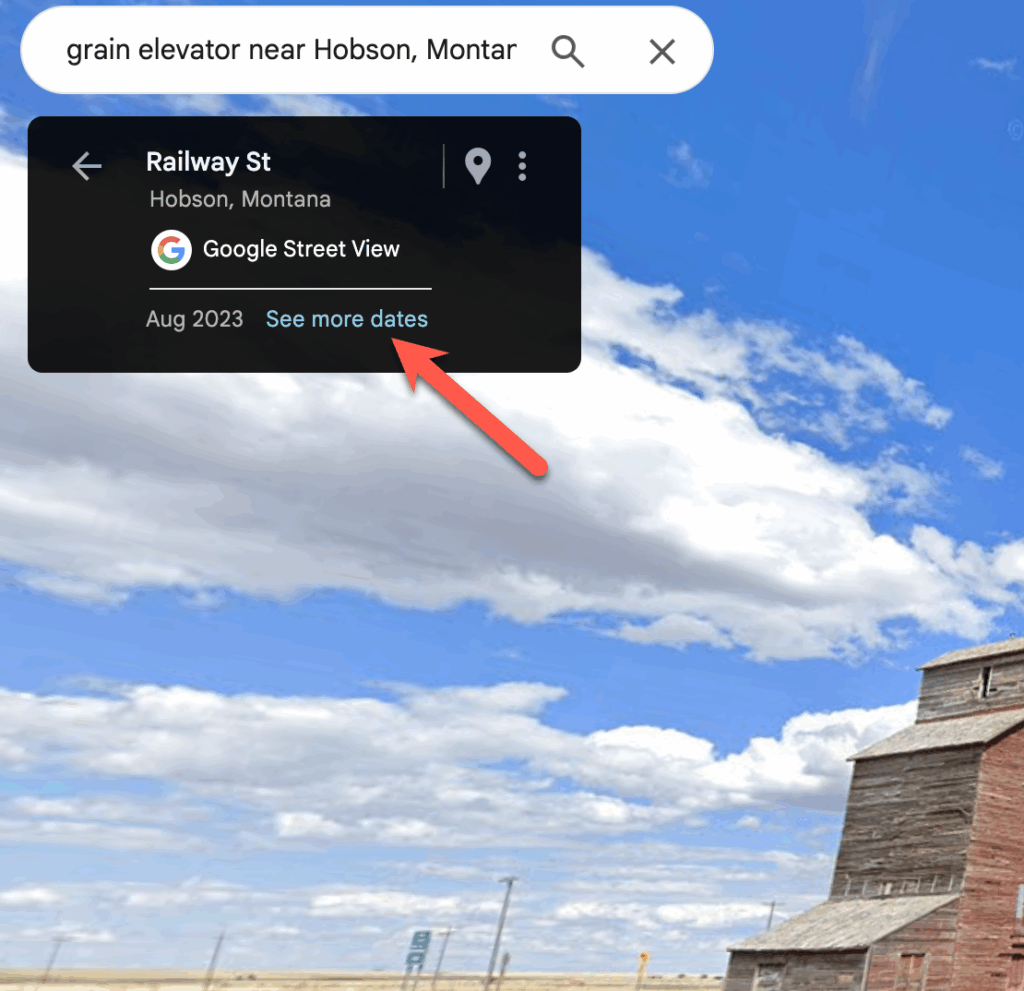
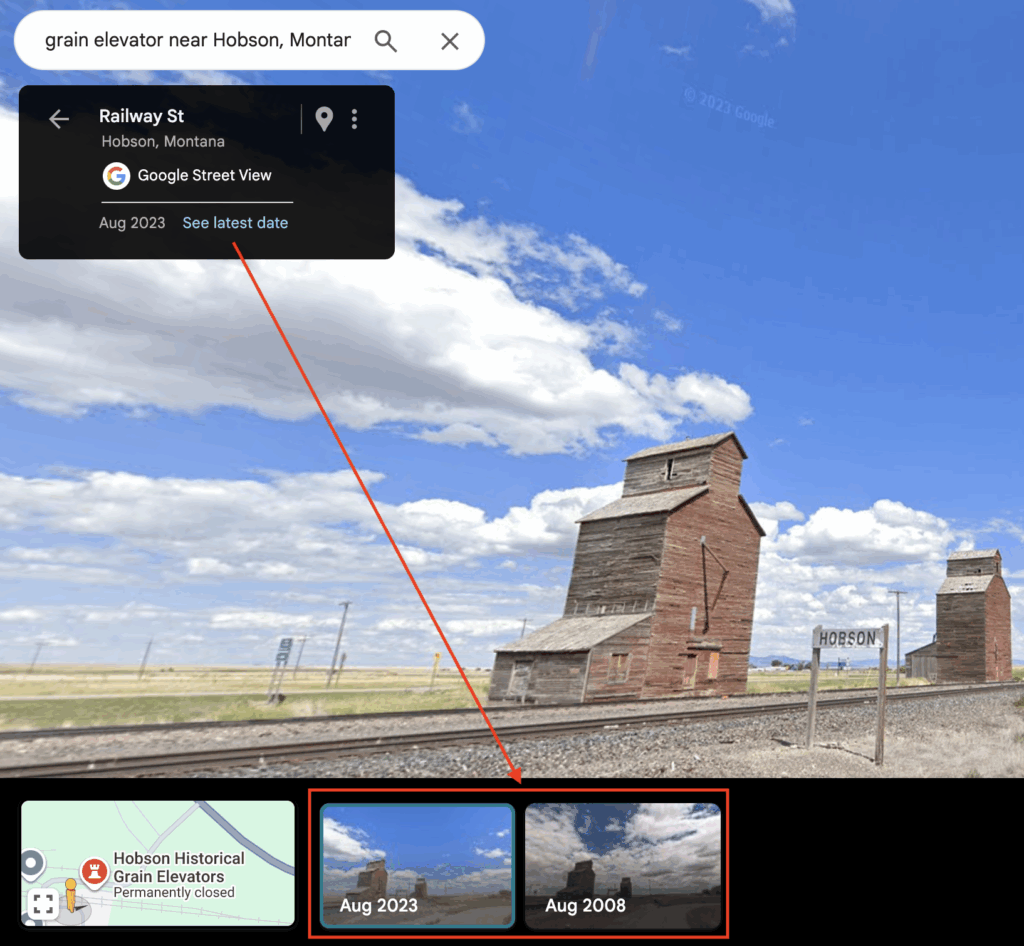
Disadvantages: While Street View is a great tool for investigating potential locations it isn’t perfect. Many of the places I typically visit are rural locations and these areas aren’t updated as frequently as urban areas. In the Street View above you’ll notice that the most recent date is August 2023 and I’m writing this article in January 2026.
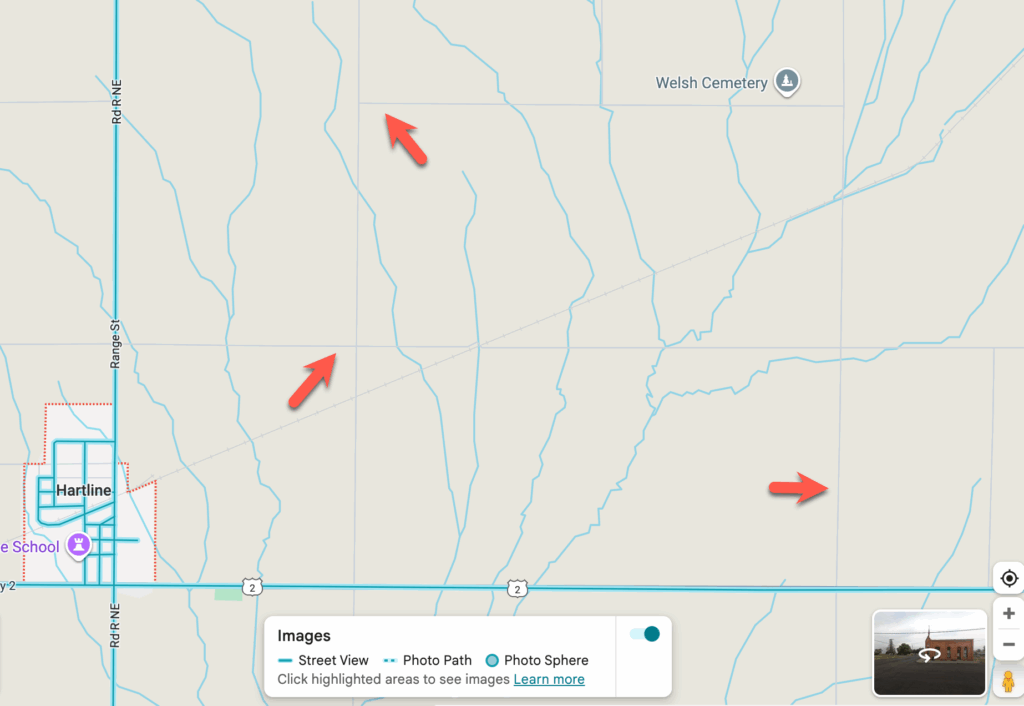
Street View is also not available in all areas and if you’re shooting in rural locations many dirty or gravel roads will not be available. You can see this in the screenshot below. When Street View is turned on the roads with available imagery are highlighted in blue while roads that don’t have imagery available will remain gray. In this screenshot from central Washington those gray roads are all gravel roads. There are some absolutely amazing abandoned structures along those roads but you won’t find them using Street View, for that you’ll need to use Satellite View, which we’ll discuss next.
2. Satellite View: Reading Shadows and Patterns
While the default map view is useful for navigation, switching to satellite view is essential for finding abandoned structures in rural areas.
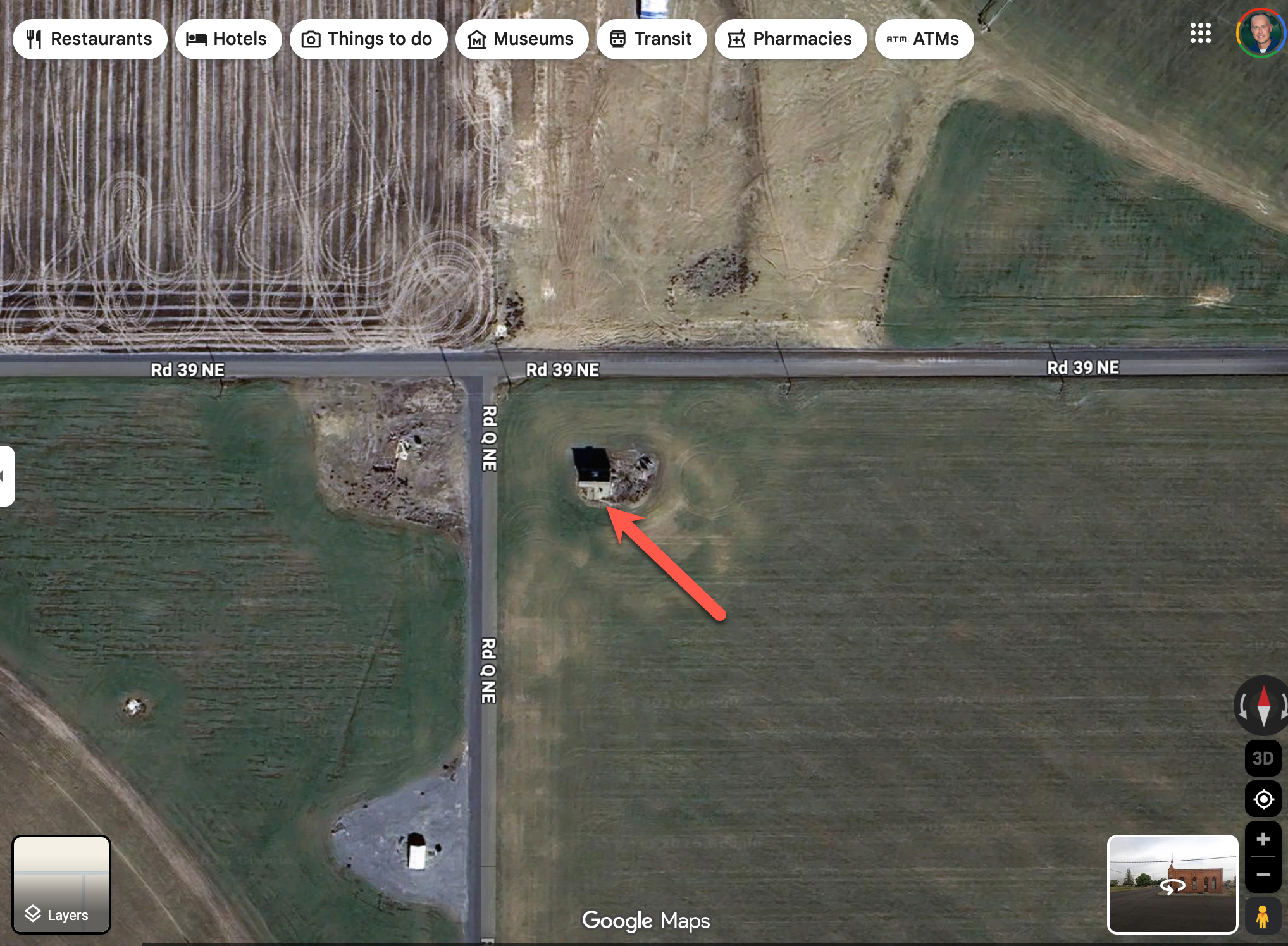
Look for Shadows: Grain elevators cast long, distinctive rectangular shadows across the prairie. Once you know what to look for, these shadows are unmistakable. You can see an example below.
I’ll also zoom along railroad lines in satellite view specifically looking for these shadow patterns.
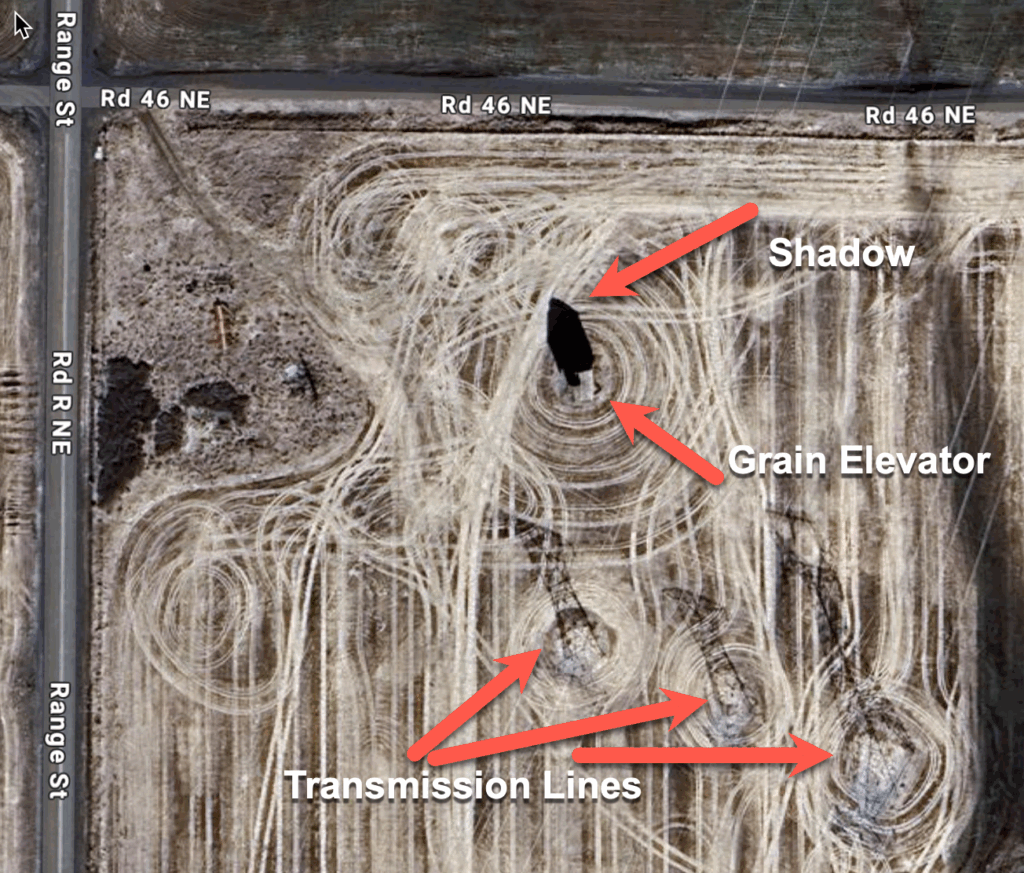
Rectangular Shapes in Open Prairie: Abandoned structures stand out in agricultural areas. They’re often the only vertical element in otherwise flat landscapes. In satellite view, these show up as small rectangular shapes, often with that telltale shadow.
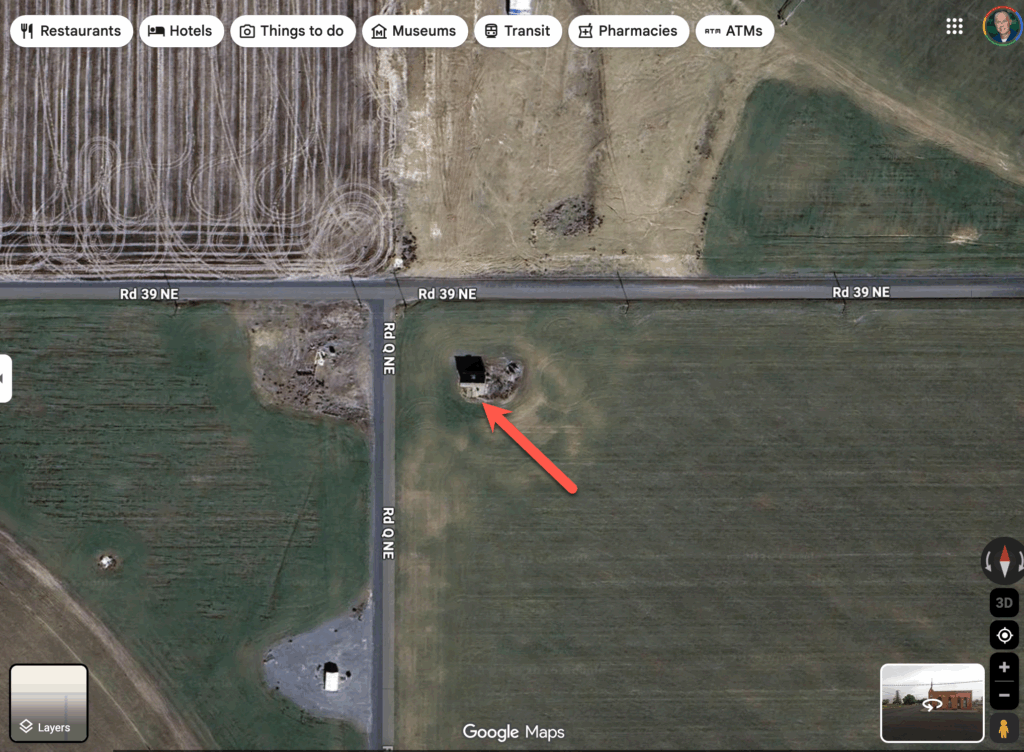
Confirm Before Adding to Route: Always zoom in close. What looks like an elevator from high altitude might be a modern grain storage facility, a water tower, or even a barn. Get as close as you can to confirm the structure type before adding it to your photo list.
Seasonal Imagery: Keep in mind that Google Maps satellite imagery is captured at different times of year. Summer imagery often has better detail due to clearer skies, but winter imagery can reveal structures hidden by vegetation during growing season.
Disadvantages: As was the case with Street View, Satellite View imagery is not always completely up to date. At the bottom of the Satellite View you’ll find the date of the most recent image for the current location

3. Follow the Infrastructure: Railroad Lines and Old Highways
Grain elevators weren’t built randomly across the landscape – they followed very specific patterns based on railroad economics and agricultural geography.
Railroad Lines Are Your Primary Map: In the early 20th century, elevators were typically built every 7-10 miles along rail lines – roughly a half-day’s wagon haul for farmers. This pattern still holds true today. I’ll trace a railroad line through rural Montana or Idaho, and almost without fail, I’ll find elevator sites at predictable intervals. And when you find an elevator you almost always find other abandoned structures like schools and churches.
Look for Sidings and Spurs: Main railroad lines are obvious, but don’t overlook the sidings and short spurs that branched off to serve small communities. These often led to smaller elevators that are now completely forgotten.
Old Highway Routes: Before the interstate system, US highways and state routes connected small towns. Unlike interstates that bypass communities, these older routes went straight through town centers. Follow these routes and you’ll find one-room schools, churches, and other historic structures.
Grid Patterns Indicate Former Towns: Even when a town has been completely abandoned, the street grid often remains visible in satellite view. Look for faint lines forming rectangular patterns – these are often overgrown streets from ghost towns.
4. Search Box Strategy: Finding the Unfindable
The Google Maps search function is smarter than most people realize, and with the right search terms, you can uncover structures that aren’t officially marked on the map.
Town-Specific Searches: My go-to search is “[town name] grain elevator” – for example, “grain elevator Hobson, MT” or “Hill City Idaho grain elevator.” Even if the elevator isn’t marked as a point of interest, this search will often pull up user-generated photos or reviews that confirm its existence and location.
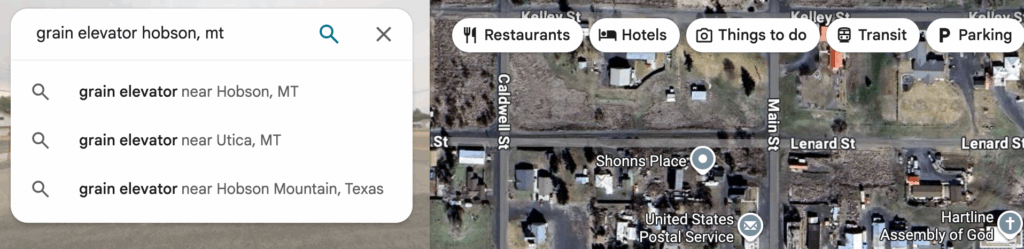
“Abandoned” + Location: Try searching “abandoned structures near [location]” or “abandoned [county name].” This can surface blog posts, photo collections, and local history references that lead you to specific sites. This doesn’t always work but it does in some cases.
Historic and Heritage Terms: Search for “historic elevator,” “old school,” “heritage church,” etc. These terms often pull up structures that have some local significance even if they’re no longer in use.
User Photos Are Gold: When you search for a location, click on the photos tab. Local photographers and history enthusiasts often upload photos of abandoned structures, and these photos are geotagged. This is how I’ve found dozens of elevators that aren’t marked on any map.
5. User-Generated Content: Photos Tab and Reviews
Google Maps has become a surprisingly rich repository of user-generated content about abandoned structures, often from local history buffs and other photographers. When I’m visiting an area I just spend some time navigating around the map looking for location markers like you see below.
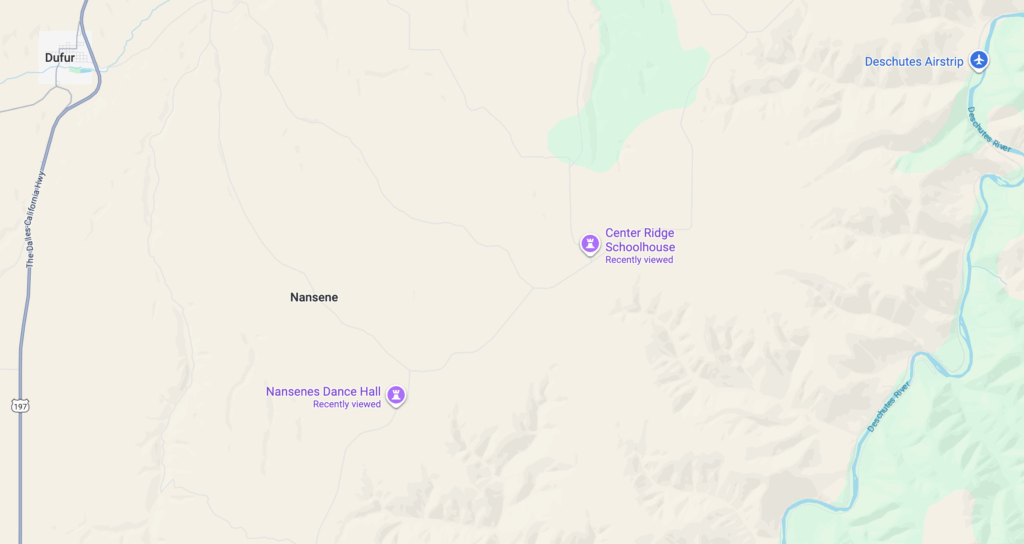
Click Every Location Marker: When you see a marker for a grain elevator, church, or school – even if it’s marked as “permanently closed” – click it and look at the photos tab. You’ll often find recent photos showing the current condition, historical photos showing what it looked like decades ago, and sometimes even interior shots.
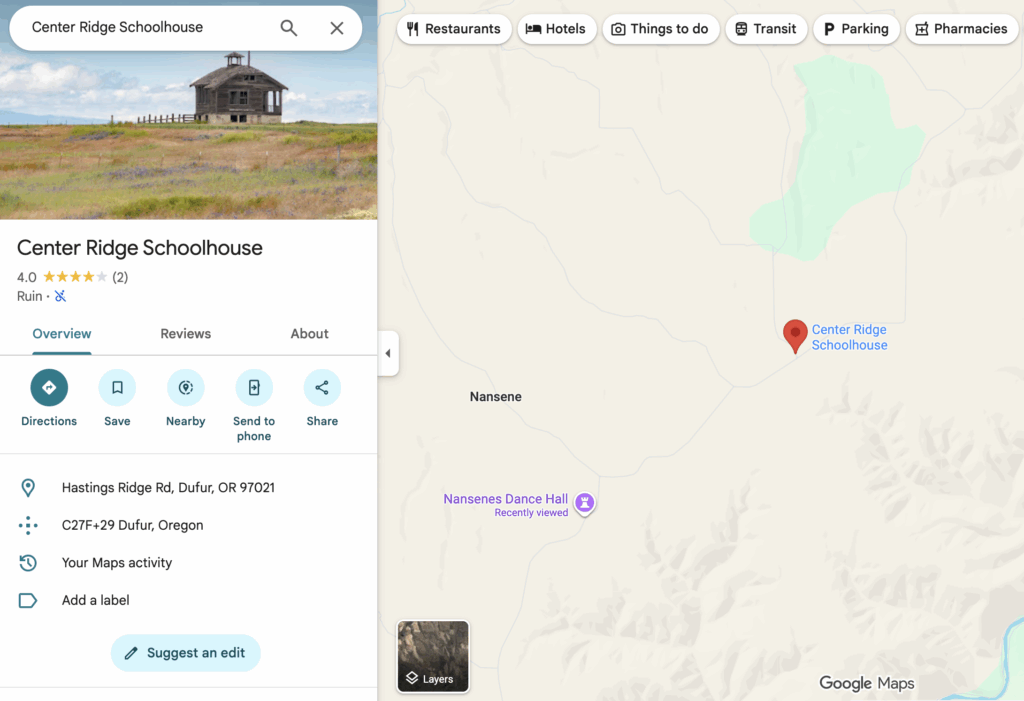
Photo Dates Tell You Current Status: Check the upload dates on photos. If someone posted a photo three months ago, you know the structure was still standing recently. If the most recent photos are from 2015, proceed with caution – it might be gone.
Geotagged Photos Reveal Nearby Sites: When you find one abandoned structure, look at the other photos uploaded by the same person. Often, photographers who document one location have documented others in the area. Click through to their photo contributions and you’ll discover nearby sites.
Route Planning: Lists and Custom Maps
Once you’ve identified structures worth photographing, Google Maps’ organizational features help you plan efficient photo trips.
Create Custom Lists: I maintain several lists in Google Maps: “Montana Elevators,” “Idaho Schools,” “Western Montana Churches,” etc. When I find a promising location, I save it to the appropriate list with a star. This builds a database of potential photo subjects organized by region.
Build Your Route: When planning a trip, I’ll pull up my list for that region and plot a route that hits multiple structures in one day. Google Maps shows drive times between points, helping me plan realistic itineraries.
Plan for Light: I arrange my route based on the time of day and light direction. Morning light hits structures from the east, evening from the west. I’ll organize my stops so I’m arriving at each location during optimal light.
Share Across Devices: Your saved lists and starred locations sync across devices. I’ll do my research on my desktop where I have a large screen, then access the same lists on my phone when I’m driving.
Offline Maps: Before heading into remote areas with spotty cell service, download offline maps for the regions you’re visiting. You’ll still have access to your saved locations and basic navigation even without signal.
The Complete Workflow
Here’s how I put all these techniques together for a typical photo trip:
- Identify the Region: I decide on a general area – maybe central Montana along Highway 2.
- Trace the Rails: I switch to satellite view and follow railroad lines through the region, looking for elevator shadows and rectangular structures.
- Search Each Town: For every small town along the route, I search “[town name] grain elevator” and check the photos tab.
- Street View Each Location: I drop the pegman on every promising location to verify it’s still standing, assess access, and plan my approach.
- Build the Route: I organize the locations into a logical driving route, considering light direction and drive times.
This process typically takes 2-4 hours for a day trip covering 6-10 structures, but it ensures that when I’m on the road, I’m not wasting time on demolished buildings or inaccessible sites.
Respecting Property and History
A final important note: Most abandoned structures are on private property. Just because a building is abandoned doesn’t mean you have the right to access it. I always photograph from public right-of-way unless I’ve obtained explicit permission from the landowner.
Google Maps helps with this too – Street View often shows property lines, fences, and signage that indicate whether you’re dealing with private land. When in doubt, I seek out the landowner and ask permission. Most are gracious and appreciate that someone cares about documenting these pieces of rural history.
Beyond Google Maps
While Google Maps is my primary tool for location scouting, it’s just one part of my research workflow. I also use Google Earth (for historical imagery and 3D views), Flickr (for photographer-sourced locations), Instagram, Facebook Groups, and others.
But if you’re just getting started with documenting abandoned rural structures, Google Maps is the perfect place to begin. It’s free, accessible from any device, and contains an incredible amount of information if you know how to look for it.
The rural West is full of these forgotten structures – grain elevators, one-room schools, churches, and homesteads that tell the story of a different era. They’re disappearing fast, and documenting them has become something of a race against time.
Google Maps helps me find them before they’re gone.